How to get a Google Knowledge Panel: From entity to authority in the age of semantic search

Barack Okaka Obama is an internet entrepreneur, SEO specialist and the founder of Rankfasta and Nelogram.
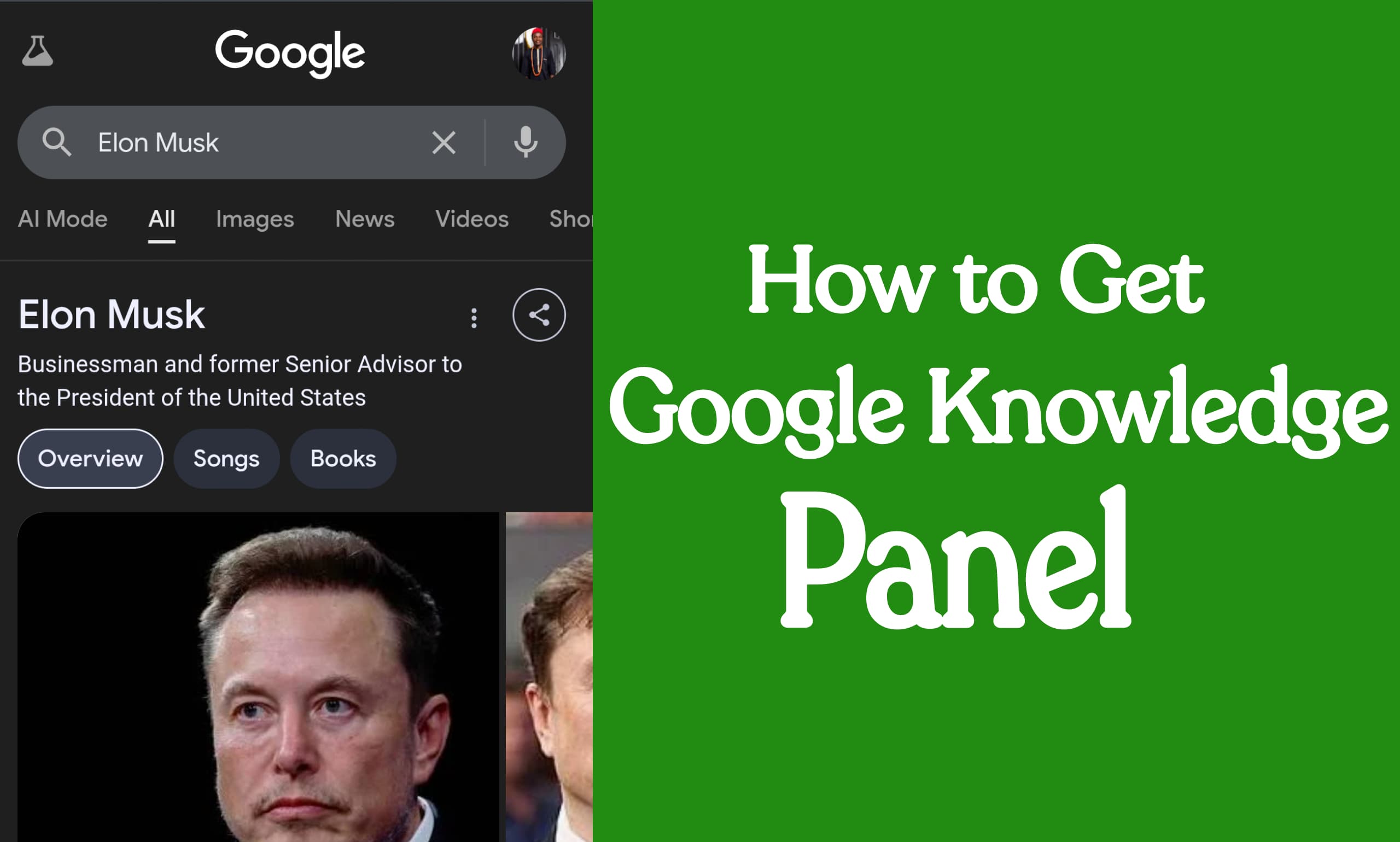
You have noticed that organic visibility on Google is no longer a simple game of keywords and backlinks. It has evolved into a sophisticated contest of authority, trust, and identity. At the center of this new arena is the Google Knowledge Panel, the information box that appears on the right side of (and increasingly, integrated into) search results. It is Google's definitive summary of "what" and "who" you are.
The articles on SiteCentre and Clearscope provided a foundational overview. I have provided this new, comprehensive guide which rewrites and expands upon that foundation by over 5000%, going deep into every related subtopic. We will deconstruct the underlying technology, provide expert-level strategies, and offer detailed, step-by-step guides for each component. This is not just about getting a Google Knowledge panel; it's about mastering your entity's digital identity and securing your position as the authoritative source in your field.
Part 1: Deconstructing the Digital Identity: What is a Google Knowledge Panel?
To understand its value, you must first understand what it is. The Google Knowledge Panel is an automatically generated information box. It provides a concise, factual summary of an "entity"—which Google defines as a person, place, organization, or abstract concept.
This panel is the most visible output of Google's vast semantic database, the Knowledge Graph. Its purpose is to answer a user's query directly on the search results page, providing a "snapshot of information on a topic based on Google's understanding of available content on the web" (Google, 2024).
The "Strings to Things" Revolution: A Brief History of Google Knowledge Panel
The Knowledge Panel was born from a fundamental shift in Google's philosophy. On May 16, 2012, Amit Singhal, then Google's Senior VP of Engineering, announced the Knowledge Graph in a blog post titled "Introducing the Knowledge Graph: things, not strings."
Singhal explained the pivot: "We’re in the early stages of building a huge, intelligent model... that understands real-world entities and their relationships to one another: things, not strings" (Singhal, 2012). This marked the official transition from Google as a keyword-based indexer to a semantic search engine that understands the meaning and relationships behind the words. The Knowledge Panel is the primary user-facing result of this multi-billion dollar effort.
A Critical Distinction: Knowledge Panels vs. Profiles vs. Snippets
Users and even marketers frequently confuse Knowledge Panels with other SERP features. The distinction is critical.
Google Knowledge Panel (KP): Automatically generated by Google's algorithm. It pulls data from a multitude of third-party sources (Wikipedia, Wikidata, news articles, etc.) and the entity's "home" website. You cannot directly control the information, only "suggest edits" after verification. It signifies that Google recognizes the entity as notable.
Google Business Profile (GBP) (formerly Google My Business): This is for local businesses. While it looks like a local knowledge panel, the information is primarily supplied and managed by the business owner. You add your hours, photos, services, and posts. It is a directory listing, not an encyclopedic verification of notability.
Featured Snippet: This is the "answer box" at the top of the results, often called "Position 0." It is a direct-scraped answer to a specific question (e.g., "how to tie a tie") taken from a single webpage. It is not about an entity, but about answering a query.
The Engine Behind the Entity: The Google Knowledge Graph
The Knowledge Graph is the engine; the Knowledge Panel is the car. The Knowledge Graph is a massive database containing billions of facts about entities and the relationships (or "edges") between them.
Entity: Barack Obama
Attributes:
is aPerson,is aformer U.S. President,date of birthis August 4, 1961.Relationships:
spouse ofMichelle Obama,father ofMalia and Sasha Obama,educated atHarvard Law School.
Academic research in computer science highlights the power of this model. Papers on semantic search explain that by structuring information this way, a search engine can answer complex, novel queries it has never seen before, such as "U.S. presidents whose wives attended Harvard" (Sharma, et al. 2024). When you trigger a Knowledge Panel, you are confirming to Google that you are a distinct, verifiable entity within this graph.
Part 2: The ROI of Trust: Why Your Entity Needs a Knowledge Panel
The original article correctly identified visibility, interaction, and reputation as key benefits. Let's expand on these with actionable data and strategic concepts.
The New Cornerstone of SEO: Knowledge Panels and E-A-T
In Google's Quality Rater Guidelines, the concept of E-A-T (Expertise, Authoritativeness, Trustworthiness) is paramount. A Knowledge Panel is perhaps the single strongest public signal of all three.
Expertise: The panel often links to an entity's official site, published works, or social profiles, codifying their area of expertise.
Authoritativeness: The panel itself is a declaration by Google that the entity is the authority on itself. Its existence is validation. As SEO expert Jason Barnard of Kalicube states, "Your Knowledge Panel is your 'Google's business card.' It proves to Google that you are a notable entity and it understands who you are and what you do" (Barnard, 2023).
Trustworthiness: Because the data is compiled from trusted sources (like Wikipedia) and verified, it carries an implicit layer of trust that user-generated content cannot match.
For authors, academics, and organizations, a Knowledge Panel serves as "a visual endorsement from Google, affirming your status as a credible and trustworthy...figure" (Kalicube, 2024).
Dominating the SERP through Google Knowledge Panel: Statistics on User Interaction and Trust
While Google keeps specific click-through rate (CTR) data for Knowledge Panels private, we can infer their immense value. Studies on general SERP CTR show a staggering advantage for top positions.
Statistics: A 2024 study by First Page Sage found that the #1 organic result on Google commands an average CTR of 39.8%. The Knowledge Panel effectively is the #1 result for a branded or personal search, occupying the most valuable real estate on the page. It doesn't just rank #1; it owns the right-hand rail, often pulling the user's eye before any other link.
User Trust: Users are conditioned to see the information in these panels as "facts." When Google presents data in this format, it is perceived not as one of ten blue links, but as Google's verified answer. This transfers an immense amount of trust to your brand or person before a user even clicks.
Case Studies: Brand and Personal Knowledge Panels
Brand (e.g., "Apple Inc."): A search for a major brand shows a panel rich with financial data (pulled from sources like NASDAQ), founder information (Steve Jobs, Steve Wozniak—themselves entities), and product lines. This consolidates the brand's entire ecosystem.
Person (e.g., "Bill Gates"): A search for a notable person displays their birthdate, net worth (from Forbes), education, family members, and books. This panel solidifies their public persona and authority, clearly distinguishing them from any other "Bill Gates" in the world.
Part 3: The Genesis of a Fact: How Google Populates Knowledge Panels
The panel's automated nature is its most misunderstood feature. It is not built; it is earned. It appears when Google's algorithm reaches a confidence threshold that an entity is notable and that the facts about it are consistent.
The Rise of Entity-Based SEO
This algorithmic confidence is the focus of Entity-Based SEO. This strategy moves beyond optimizing pages for keywords (e.g., "best running shoes") to establishing a brand or person as a verifiable entity (e.g., "Nike" or "Eliud Kipchoge").
The late, great Bill Slawski, a renowned expert who analyzed Google's patents, wrote extensively on this. His research showed how Google patents described systems for "ranking entities in search results" and "extracting entities and relationships from web pages" to build its knowledge graph (Slawski, 2020). Entity-based SEO is the practice of feeding Google the exact structured, consistent information it needs to build your entity profile.
The Web of Truth: Primary Data Sources for Knowledge Panels
Google's algorithm acts as a digital librarian, cross-referencing multiple sources. If the "fact" is consistent across many high-authority sources, it is added to the Knowledge Graph.
Key sources include:
Wikipedia: Long considered the "gold standard" for Knowledge Panel generation due to its notability guidelines and structured data.
Wikidata: The machine-readable database counterpart to Wikipedia. This is a critical source. An entry here (e.g.,
Q4115189) provides Google with clean, structured data for attributes likeinstance of: human.Official Website: The entity's "home" (more on this in Part 4).
Authoritative Third-Party Sites: LinkedIn, Crunchbase, Bloomberg (for companies), Forbes (for people/financials), IMDB (for film), and high-authority news organizations (The New York Times, BBC).
Data Partners: Google also has direct data-sharing agreements with partners for specific information, such as sports scores or music album lists.
The Great Knowledge Panel Reconciliation: How Google Handles Conflicting Data
What happens when one source says a CEO's name is "Robert" and another says "Bob"? Google's system performs entity reconciliation.
As described in Google Cloud's documentation for its Enterprise Knowledge Graph, reconciliation is an "AI-powered, semantic clustering and deduplication service" (Google Cloud, 2024). In simple terms, Google's algorithm weighs the authority of the sources. A fact stated on an official website, a Wikipedia page, and a Bloomberg profile will outweigh a contradictory fact on a low-authority blog. This is why consistency across all platforms is non-negotiable for Knowledge Panel.
Part 4: The Grand Blueprint: A Step-by-Step Guide to Acquiring a Knowledge Panel
This is the core of the strategy. Remember, you cannot apply for a branded or personal panel. You must prove to Google's algorithm that you deserve one.
Local vs. Branded/Personal Google Knowledge Panels: Choosing Your Path
Local Panels: For location-specific businesses (plumbers, restaurants, retail stores). These are tied to a Google Business Profile and a physical address. The "how-to" here is simple: create and verify your GBP.
Branded/Personal Panels: For non-local entities (e-commerce brands, authors, public figures, SaaS companies). This is the focus of our guide, as it is based on notability, not location.
Here is the detailed, step-by-step process.
Step 1: The Foundation (For Local Panels)
If you are a local business, stop here and do this first.
Go to
google.com/business.Create or claim your Google Business Profile (GBP).
Complete every single field: address, phone number, website, hours, services, photos, and health/safety attributes.
Get verified (usually by postcard).
Encourage customer reviews and respond to them.
This will generate a local business panel, which is essential for local SEO.
Step 2: Establish Your "Entity Home"
For branded/personal panels, Google needs a single, authoritative source to point to: your official website.
Create a Definitive "About Us" Page: This page is your entity home. It must not be a fluffy marketing page. It must be a factual summary, almost like a Wikipedia article about yourself.
State the Facts: Clearly state your name (or brand name), what you do, when you were founded (or born), and who the key people are (CEO, Founder).
Be Consistent: The name, description, and details here must match exactly what you will use on all other platforms (LinkedIn, Wikipedia, etc.).
Step 3: Speak Google's Language: A Masterclass in Schema Markup
This is the most crucial technical step. Schema markup (using the schema.org vocabulary) is code you add to your website that explicitly tells Google what an entity is. You are translating your "About Us" page into Google's native language. The preferred format is JSON-LD.
Place this code in the <head> section of your entity home (e.g., your "About Us" page or homepage).
Detailed Guide: Organization Schema Markup
Use this for a brand, company, or organization.
JSON
<script type="application/ld+json">
{
  "@context": "https://schema.org",
  "@type": "Organization",
  "name": "Example Company Inc.",
  "legalName": "Example Company Incorporated",
  "url": "https://www.example.com",
  "logo": "https://www.example.com/images/logo.png",
  "email": "contact@example.com",
  "telephone": "+1-555-123-4567",
  "address": {
    "@type": "PostalAddress",
    "streetAddress": "123 Example St",
    "addressLocality": "New York",
    "addressRegion": "NY",
    "postalCode": "10001",
    "addressCountry": "US"
  },
  "founder": {
    "@type": "Person",
    "name": "Jane Doe"
  },
  "foundingDate": "2010-01-01",
  "description": "Example Company is a leading provider of advanced semantic solutions.",
  "sameAs": [
    "https://www.linkedin.com/company/example",
    "https://twitter.com/example",
    "https://www.crunchbase.com/organization/example",
    "https://en.wikipedia.org/wiki/Example_Company"
  ]
}
</script>
- Annotation: The
"@type": "Organization"tells Google it's a company. The"url"is the official site. Most importantly, the"sameAs"array is a list of URLs that corroborate this information. This array is how you connect your site to your other authoritative profiles.
Detailed Guide: Person Schema Markup
Use this for an author, public figure, or key executive.
JSON
<script type="application/ld+json">
{
  "@context": "https://schema.org",
  "@type": "Person",
  "name": "Dr. John Smith",
  "url": "https://www.johnsmith.com/about",
  "image": "https://www.johnsmith.com/images/john-smith.jpg",
  "jobTitle": "Professor of Semantics",
  "worksFor": {
    "@type": "Organization",
    "name": "University of Knowledge"
  },
  "alumniOf": {
    "@type": "CollegeOrUniversity",
    "name": "Harvard University"
  },
  "description": "Dr. John Smith is an author and professor specializing in entity-based SEO and semantic search.",
  "sameAs": [
    "https://www.linkedin.com/in/johnsmithseo",
    "https://twitter.com/johnsmith",
    "https://scholar.google.com/citations?user=xyz123",
    "https://www.wikidata.org/wiki/Q123456"
  ]
}
</script>
- Annotation: The
"@type": "Person"is key. Properties like"jobTitle","worksFor", and"alumniOf"provide structured facts. The"sameAs"array connects this person to their social media, academic profiles (like Google Scholar), and—critically—their Wikidata entry.
Step 4: Build Your "Web of Trust": The Corroboration Strategy
Your schema markup makes claims. Now you must back them up. Google's algorithm will check the URLs in your "sameAs" array.
Create profiles on high-authority sites relevant to your industry:
All Entities: LinkedIn, Twitter.
Companies/Brands: Crunchbase, Bloomberg, industry-specific directories.
People: Muck Rack (for journalists), Google Scholar (for academics), ORCID (for researchers).
Maintain 100% Consistency: The name, description, and website URL on every single profile must be identical to what is on your "Entity Home" and in your schema. No variations.
Step 5: The "Authoritative Shortcut": The Wikipedia and Wikidata Strategy
This is often the final piece that triggers a Knowledge Panel. These non-commercial, community-vetted sources are highly trusted by Google.
Detailed Guide: Creating a Wikipedia Page
This is extremely difficult and not recommended for self-promotion. Your page will be deleted unless you are truly notable.
Understand Notability: Wikipedia's "Notability guidelines" (WP:N) are the law. For a company, you must have "received significant coverage in reliable, independent secondary sources."
What This Means: Articles about your company in major newspapers (e.g., The Guardian), industry magazines (e.g., Wired), or academic journals.
What Does NOT Count: Your own website, press releases, paid-for "news" placements, or any source you paid for or wrote yourself.
How to Proceed: If you genuinely meet the notability criteria, the best practice is to have an independent, experienced Wikipedia editor (who has no Conflict of Interest, or COI) draft the article for you, citing the independent sources.
Detailed Guide: Creating a Wikidata Item
This is much easier and highly recommended. Wikidata is a machine-readable database anyone can edit. It is a primary food source for the Knowledge Graph.
Go to
wikidata.organd create an account.Search for your entity. If it doesn't exist, click "Create a new Item."
Label: Your entity's name (e.g., "Example Company Inc.").
Description: A short, neutral description (e.g., "American software company").
Add Statements (Facts):
instance of->businessorhumanofficial website->https://www.example.comcountry of origin->United States of AmericaLinkedIn company ID->exampleTwitter username->exampleCrunchbase organization ID->example
By creating a Wikidata item, you are handing Google a perfectly formatted, machine-readable file of facts to populate your Knowledge Panel.
Step 6: Cultivating True Entity Authority
Beyond technical setup, you must build real-world authority.
Get Cited: Be mentioned in news articles, win awards, and speak at conferences.
Generate News: Publish original research or data that news outlets will cite.
Be a Guest: Appear on authoritative podcasts and blogs in your industry.
Google's algorithm tracks these "co-mentions" and relationships, strengthening your entity's authority.
Step 7: Claiming Your Territory: How to Verify and Manage Your Panel
Once your panel appears (this can take weeks or months), you must claim it.
Search for your entity while logged into a Google account associated with it.
At the bottom of the panel, click "Claim this knowledge panel."
Google will ask you to verify ownership by logging into one of your associated profiles, which it already knows about (e.g., Google Search Console for your official website, or your official YouTube, Twitter, or Facebook account).
Once verified, you become an official representative and can "suggest edits."
The Google Knowledge Panel Post-Launch: Maintenance, Troubleshooting, and the Future
Getting the panel is only half the battle. Now you must manage it.
"My Knowledge Panel Disappeared!" - Common Reasons for Volatility
A Knowledge Panel is not permanent. It can disappear if:
Google's algorithm loses confidence.
The entity home (your website) is deleted or changed drastically.
Key corroborating sources (like a Wikipedia page) are deleted.
The entity is deemed no-longer notable.
It receives significant negative user feedback.
How to Correct Inaccurate Information on a Google Knowledge Panel
Once you are verified, you can correct errors.
Click the "Suggest an edit" link on your panel.
Select the information you want to change.
Provide a short explanation and, most importantly, a publicly accessible URL that proves your correction is a fact (e.g., a link to your official "About Us" page or a news article).
Google's team will manually review the change. Approval is not guaranteed and depends on the strength of your evidence.
The Future of Knowledge: Generative AI and SGE
The Knowledge Graph is not a legacy system; it is the foundation for Google's future. The Search Generative Experience (SGE) and other Generative AI products rely on this graph of verified facts.
As AI models become "more intelligent and context-aware" (Zeal Digital, 2024), they will provide "human-like responses" by synthesizing information. This information must come from a trusted source. The Knowledge Graph provides the factual grounding to prevent AI "hallucinations."
By building your entity into the Knowledge Graph today, you are not just optimizing for today's SERP. You are ensuring your brand, your data, and your identity are a foundational, trusted fact source for the AI-driven search engines of tomorrow.
References and Citations:
Barnard, J. (2023). Kalicube.pro.
First Page Sage. (2024). Google CTR Stats (2024).
Google. (2024). About knowledge panels. Google Help.
Google Cloud. (2024). Enterprise Knowledge Graph overview.
Kalicube. (2024). How does an author Knowledge Panel help with Google's E-A-T?
Sharma, A., et al. (2024). Incorporating Knowledge Graphs in Semantic Search. ResearchGate.
Singhal, A. (2012). Introducing the Knowledge Graph: things, not strings. The Official Google Blog.
Slawski, B. (2020). Entity-Based SEO. SEO by the Sea.
Zeal Digital. (2024). Future Of Search: Google SGE & Generative AI.